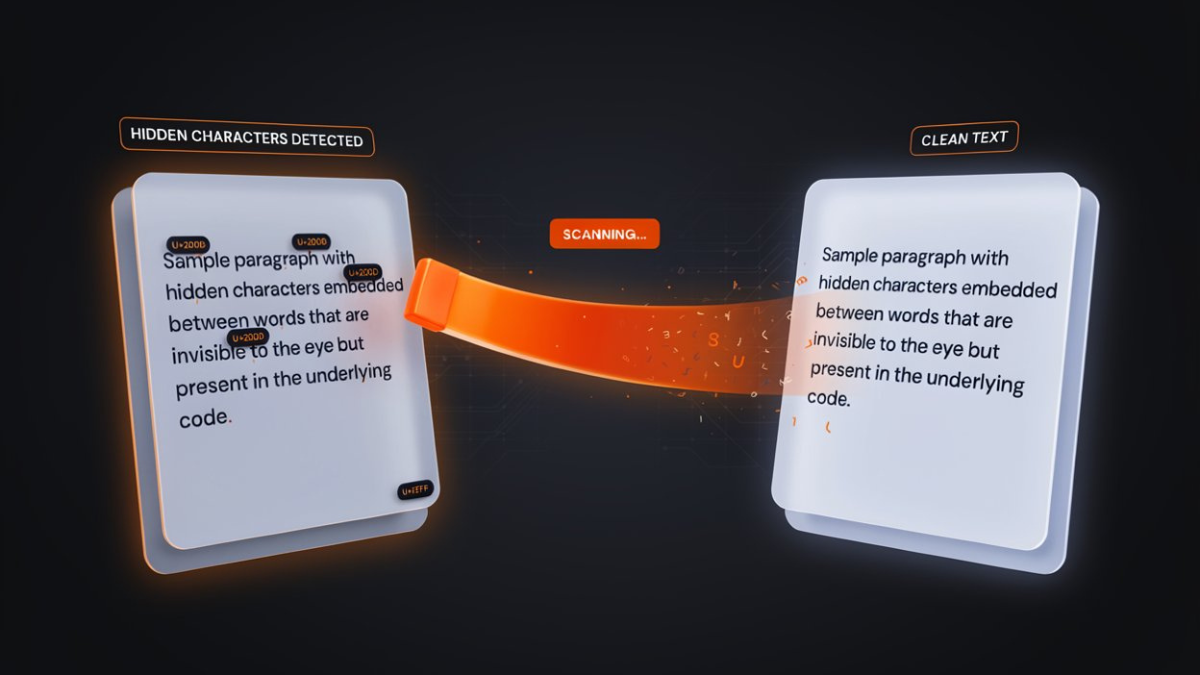
Claude Watermark Checker: Check Invisible Characters in Claude AI Text
If you copy text from Claude AI and notice unusual spacing, strange formatting, unexpected search results, or text that behaves differently in another application, there may be…
 By Editorial Team
·
·
10 min read
By Editorial Team
·
·
10 min read
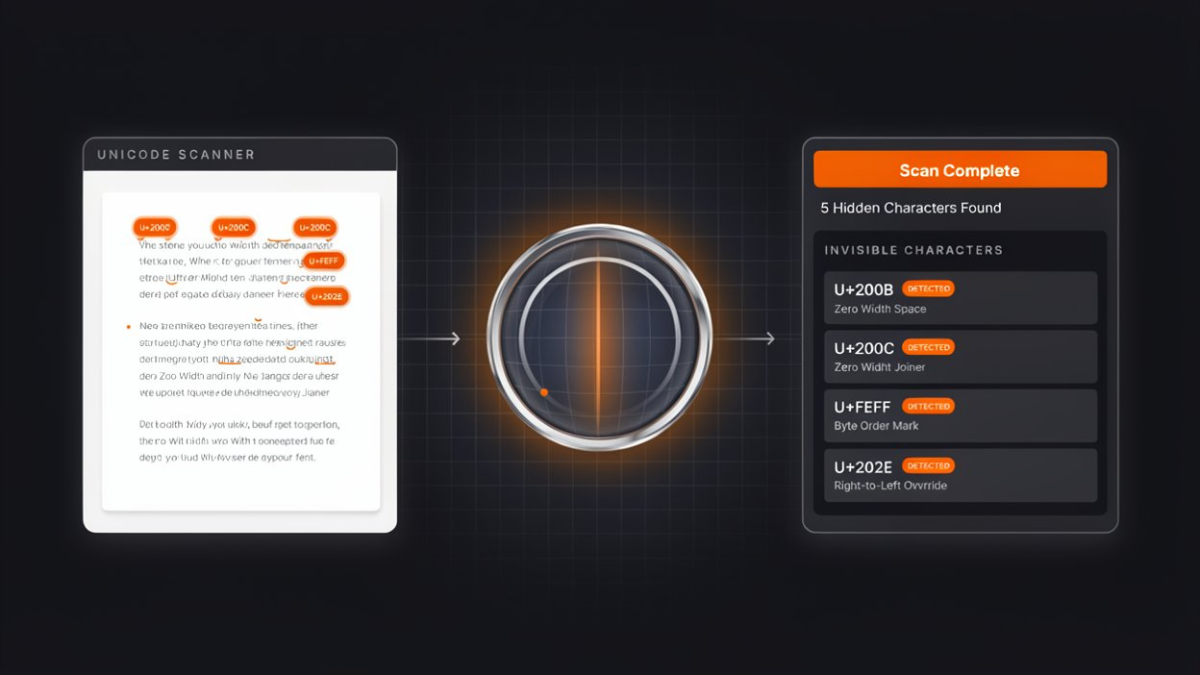
Check Claude AI text for invisible Unicode characters, zero-width spaces, hidden characters, unusual spaces, and Unicode codepoints with this free online checker.
If you copy text from Claude AI and notice unusual spacing, strange formatting, unexpected search results, or text that behaves differently in another application, there may be invisible Unicode characters inside the text.
These characters are often impossible to see with the naked eye. A paragraph can look completely normal while containing zero-width characters, unusual spaces, Unicode control characters, bidirectional controls, variation selectors, or other non-printing characters.
A Claude Watermark Checker can help you inspect text and identify these hidden Unicode characters before you publish, copy, process, or share the content.
This guide explains what a Claude watermark checker is, how it works, what characters it can detect, and how to check Claude AI text step by step.
What Is a Claude Watermark Checker?
A Claude Watermark Checker is a text-analysis tool designed to inspect text for invisible or unusual Unicode characters.
The term “Claude watermark” is commonly used online when people discuss hidden characters or formatting artifacts that may appear in AI-generated or AI-processed text.
However, invisible Unicode characters are not the same thing as a traditional digital watermark.
A traditional digital watermark is an intentional signal embedded into digital content for identification, ownership, or provenance.
Unicode characters are part of the text itself.
Some Unicode characters are visible, while others are invisible or non-printing. A checker can identify these characters by examining the underlying Unicode codepoints in a text string.
For example, a checker may identify characters such as:
- Zero-width spaces
- Zero-width joiners
- Zero-width non-joiners
- Byte Order Marks
- Unicode tag characters
- Bidirectional control characters
- Non-breaking spaces
- Narrow no-break spaces
- Thin spaces
- Variation selectors
- Control characters
- Homoglyphs
- Other unusual Unicode characters
This makes a Claude Watermark Checker useful for inspecting text that looks normal but may contain characters you cannot see.
Why Check Claude AI Text for Invisible Characters?Most people read text visually.
Computers do not.
A computer processes the actual sequence of characters stored in the text.
That means two strings can look identical while containing different Unicode characters.
For example, these two spaces may look almost identical:
Normal space: U+0020
Non-breaking space: U+00A0
To a person, they may look like ordinary spaces.
To software, they are different characters.
This difference can sometimes affect:
- Search
- Text matching
- Word counting
- Data processing
- CSV imports
- Database comparisons
- Copy and paste
- Website content
- Programming
- Text normalization
- Document formatting
Checking your text can help identify these differences.
How Does Claude Watermark Checker Work?A Unicode text checker analyzes the characters contained inside your text.
Instead of only looking at what your screen displays, it examines the underlying Unicode representation.
The basic process is:
Paste text → Scan characters → Identify Unicode codepoints → Categorize unusual characters → Review the results
For example, if your text contains a zero-width space, the checker can identify its Unicode codepoint even though the character is not visible in the paragraph.
This gives you information that normal copy and paste cannot provide.
How to Use Claude Watermark CheckerChecking text is simple.
You do not need technical knowledge of Unicode to use the tool.
Step 1: Copy Your Claude Text
Open the Claude conversation, document, or text you want to inspect.
Select the text and copy it.
You can check:
- A single sentence
- A paragraph
- A complete article
- Product descriptions
- Emails
- Notes
- Documentation
- AI-generated content
- Code
- Research material
Step 2: Open Claude Watermark Checker
Open the Claude Watermark Checker in your browser.
The tool is designed to inspect text directly online.
You do not need to manually identify hidden characters.
Step 3: Paste Your Text
Paste the copied text into the checker.
The tool examines the characters contained in the text and looks for supported Unicode characters that may be invisible, unusual, or potentially problematic.
Step 4: Scan the Text
Start the text scan.
The checker analyzes the content and reports the characters it finds.
Depending on the text, the results may show:
- Character category
- Unicode codepoint
- Character name
- Number of occurrences
- Position or location
- Whether the character is visible
- Why the character may be unusual
This makes it easier to understand what is actually inside your text.
Step 5: Review the Results
Do not assume that every unusual Unicode character is harmful.
Unicode contains thousands of characters that have legitimate purposes.
For example, special characters can be required for:
- Languages
- Typography
- Mathematical notation
- Emoji
- Text direction
- Accessibility
- Specialized formatting
The purpose of a checker is to give you visibility into the text so you can decide what should happen next.
Step 6: Clean the Text if Necessary
If the checker identifies unwanted invisible characters, you can use a Unicode cleaning tool such as Claude Watermark Eraser to remove supported characters.
A useful workflow is:
Check → Review → Clean → Check Again
Running the checker again after cleaning can confirm whether the unwanted characters have been removed.
What Can Claude Watermark Checker Detect?Different types of Unicode characters can appear inside text.
Here are some of the most important categories.
Zero-Width Characters
Zero-width characters do not normally create a visible symbol.
Common examples include:
U+200B— Zero Width SpaceU+200C— Zero Width Non-JoinerU+200D— Zero Width JoinerU+FEFF— Zero Width No-Break Space / BOM
These characters can be legitimate in some contexts, but unexpected occurrences may create problems with text matching and processing.
Unicode Tag Characters
Unicode includes a special tag character range:
U+E0000–U+E007F
These characters are generally invisible.
A checker can be useful for identifying them when you want to know whether hidden Unicode data exists inside a piece of text.
Bidirectional Control Characters
Unicode supports right-to-left and left-to-right text.
Bidirectional control characters can influence the visual order of text.
Examples include:
U+202AU+202BU+202CU+202DU+202EU+2066U+2067U+2068U+2069
These can be legitimate in multilingual documents but may be suspicious when they appear unexpectedly.
They are particularly important when analyzing:
- Source code
- Technical documents
- URLs
- File names
- Mixed-language text
- Security-sensitive content
Non-Standard Spaces
Unicode has multiple types of spaces.
Examples include:
- Normal Space —
U+0020 - Non-Breaking Space —
U+00A0 - Thin Space —
U+2009 - Narrow No-Break Space —
U+202F - Ideographic Space —
U+3000
They may look similar while behaving differently.
A checker can help identify which type of space exists in your content.
Variation Selectors
Variation selectors are Unicode characters that modify how certain characters are displayed.
They are commonly associated with emoji and specialized Unicode presentation.
Because they can have legitimate purposes, they should not automatically be treated as unwanted characters.
Homoglyphs
Homoglyphs are characters that look similar to other characters.
For example, a character from the Cyrillic alphabet can sometimes resemble a Latin letter.
This can be important for:
- Security
- Domain names
- Text comparison
- Search
- Usernames
- Data validation
A text may visually appear to contain one word while the underlying characters are different.
Control Characters
Control characters are characters that can influence how text is processed without necessarily displaying a visible symbol.
Unexpected control characters can cause problems when text is transferred between systems.
Checking for them can help diagnose strange text behavior.
Is a Claude Watermark the Same as an AI Watermark?Not necessarily.
This is an important distinction.
The phrase Claude watermark is sometimes used broadly online to describe hidden characteristics associated with Claude-generated text.
However, the presence of an invisible Unicode character does not automatically prove that the text was generated by Claude.
Unicode characters can be introduced by many different sources, including:
- Web pages
- Word processors
- PDFs
- AI tools
- Messaging applications
- Content management systems
- Browsers
- Copy-and-paste operations
- Different languages and writing systems
Therefore, finding a zero-width character does not provide reliable proof that Claude generated the text.
A Unicode checker can tell you what characters exist in the text.
It cannot reliably determine the original author or source of the text from those characters alone.
Can Claude Watermark Checker Detect AI-Generated Text?A Unicode checker and an AI detector are two different types of tools.
A Unicode checker examines the actual characters inside a text string.
An AI detector attempts to estimate whether writing has characteristics associated with machine-generated text.
These are fundamentally different tasks.
A Claude Watermark Checker may identify:
“This text contains U+200B Zero Width Space.”
It cannot reliably conclude:
“Claude definitely generated this text.”
Likewise, finding no invisible characters does not prove that text was written by a human.
The safest interpretation is:
Does Claude Watermark Checker Detect a Hidden Claude Signature?A Unicode checker identifies unusual characters; it does not establish authorship.
You should not interpret the results as proof of a hidden Claude signature.
If the checker finds invisible Unicode characters, the result means that those characters are present in the text.
It does not establish:
- Who created the text
- Which AI model created it
- Whether the text was generated by Claude
- Whether the characters were intentionally inserted
- Whether the text contains a cryptographic watermark
Characters can be introduced at many stages of the content workflow.
Claude Watermark Checker vs AI DetectorThese tools answer different questions.
| Tool | Main Purpose |
|---|---|
| Claude Watermark Checker | Finds unusual or invisible Unicode characters |
| Unicode Checker | Analyzes Unicode characters and codepoints |
| Claude Watermark Eraser | Removes selected unwanted Unicode characters |
| AI Detector | Estimates whether writing may be AI-generated |
| Plagiarism Checker | Checks text similarity against other content |
A checker is useful when your concern is what is inside the text.
An AI detector is designed for a completely different question.
Why Are Unicode Codepoints Important?Every Unicode character has an associated codepoint.
A codepoint provides a standardized way to identify a character.
For example:
U+0020 = Space
U+00A0 = No-Break Space
U+200B = Zero Width Space
U+200D = Zero Width Joiner
U+202E = Right-to-Left Override
When a character is invisible, its codepoint is particularly useful because it gives you a precise way to identify what the character actually is.
Instead of saying:
“There is something strange between these two words.”
You can determine:
“There is a U+200B Zero Width Space between these characters.”
That is much more useful when troubleshooting text.
Why Can Invisible Characters Cause Problems?Invisible characters can affect software even when humans cannot see them.
Search Problems
A search system may treat two visually identical strings as different because their underlying characters differ.
Copy and Paste Problems
Text copied from one application may contain Unicode characters that behave differently after being pasted elsewhere.
Database Matching
Database systems may treat visually similar strings as different values.
Word Count Differences
Some applications count invisible or special characters differently.
Formatting Problems
Non-standard spaces and directional controls can change how text is displayed.
Data Import Issues
Hidden characters can sometimes cause problems when importing text into spreadsheets, CSV files, databases, or other structured systems.
Is It Safe to Remove Every Invisible Character?No.
This is why checking should come before cleaning.
Some invisible Unicode characters are legitimate and necessary.
For example, removing certain characters from multilingual text may affect how the text is rendered.
Similarly, removing variation selectors can change the presentation of certain emoji.
A better approach is:
Identify → Understand → Decide → Clean
Do not automatically remove every non-visible character without considering its purpose.
How to Clean Text After Checking ItIf your checker finds unwanted characters, you can use a Unicode cleaning tool.
A simple workflow is:
1. Check
Paste the original text into Claude Watermark Checker.
2. Identify
Find the unusual characters and their Unicode codepoints.
3. Decide
Determine whether the characters are actually unwanted.
4. Clean
Paste the text into Claude Watermark Eraser and select the appropriate cleaning options.
5. Verify
Run the cleaned text through the checker again.
6. Use
Copy or download the cleaned text and continue your workflow.
This approach gives you more control than blindly modifying the original document.
Who Can Benefit From a Claude Watermark Checker?A Unicode checker can be useful for many types of users.
Content Writers
Writers can inspect AI-generated or copied content for unusual characters before publishing.
SEO Professionals
SEO professionals can investigate unexpected text behavior, spacing, or character inconsistencies in website content.
Developers
Developers can identify hidden characters that may cause bugs, comparison problems, or unexpected string behavior.
Data Analysts
Data professionals can inspect text before importing it into spreadsheets, databases, or processing pipelines.
Website Owners
Website owners can check content copied from different platforms before publishing it on their websites.
Researchers
Researchers working with large text datasets can use Unicode inspection to identify unexpected characters.
Security Professionals
Security-conscious users can inspect text and files for bidirectional controls, homoglyphs, and other unusual Unicode characters.
Best Practices When Checking AI TextFor the most reliable results, follow these practices.
Keep the original text
Always save a copy of important content before cleaning it.
Check before cleaning
Identify unusual characters before deleting them.
Understand Unicode
Not every unusual character is malicious or unnecessary.
Pay attention to codepoints
The Unicode codepoint tells you exactly which character you are dealing with.
Be careful with multilingual content
Right-to-left languages may legitimately use characters that look unusual in English text.
Verify after cleaning
Run the cleaned text through the checker again if accuracy is important.
Do not confuse Unicode analysis with AI detection
A Unicode checker cannot prove whether Claude, ChatGPT, Gemini, or a human created a document.
Final Thoughts
Invisible Unicode characters can be difficult to identify because they are often impossible to see during normal reading.
A paragraph can look completely normal while containing zero-width spaces, non-standard whitespace, bidirectional controls, Unicode tag characters, variation selectors, homoglyphs, or other non-printing characters.
A Claude Watermark Checker gives you a way to inspect the underlying characters in your text.
The most useful workflow is simple:
Paste → Scan → Identify → Review → Clean if necessary → Verify
Remember that finding an invisible Unicode character does not prove that Claude generated the text or that the character is an intentional AI watermark.
Unicode characters have many legitimate uses, and they can be introduced by websites, browsers, documents, AI tools, messaging platforms, and copy-and-paste operations.
Use a checker to understand your text, and use a Unicode eraser when you have identified characters that you genuinely want to remove.
For users who need both analysis and cleaning, the ideal workflow is to check your text first and clean it second.
Frequently asked questions
What is Claude Watermark Checker?
Claude Watermark Checker is an online text inspection tool designed to identify invisible, unusual, and potentially unwanted Unicode characters in text.
Is Claude Watermark Checker free?
Yes, the checker is available as an online tool and can be used to inspect text without installing desktop software.
Does Claude Watermark Checker detect AI-generated content?
No. Its main purpose is Unicode character inspection. It should not be treated as a reliable AI authorship detector.
Can it detect zero-width spaces?
Yes. A Unicode checker can identify zero-width characters such as U+200B, U+200C, U+200D, and U+FEFF.
What is U+200B?
U+200B is the Unicode codepoint for Zero Width Space. It does not normally display a visible space but exists as a character in the underlying text.
What is U+200D?
U+200D is the Zero Width Joiner. It is used legitimately in Unicode text, including certain emoji sequences and complex text rendering.
What is U+FEFF?
U+FEFF is commonly associated with the Byte Order Mark when it appears at the beginning of a text stream. It has also historically been associated with zero-width no-break space behavior.
Can invisible characters affect SEO?
Invisible characters can potentially affect how text is processed, compared, searched, or transferred between systems. However, simply checking or removing invisible characters is not a guaranteed Google ranking factor or SEO shortcut. SEO performance depends on many factors, including relevance, content quality, search intent, technical SEO, internal linking, authority, user experience, and more.
Can invisible characters hide text?
Some invisible Unicode characters can carry information without displaying visible symbols. A checker can help identify supported invisible characters within a text string.
Can I check ChatGPT text with this tool?
Yes. The tool checks Unicode characters rather than determining which AI system created the content, so it can also be useful for text copied from ChatGPT, Gemini, Copilot, websites, documents, and other sources.
Can I check Gemini text?
Yes. The same principle applies to Gemini and other text-generation tools.
Does checking text change it?
A checker should only analyze the text. Cleaning is a separate process that changes the character sequence.
Should I remove all Unicode characters?
No. Unicode is the standard used to represent text across languages and systems. Many Unicode characters are completely legitimate and necessary. The goal is to identify unwanted characters, not eliminate Unicode.