Claude Watermark Eraser: How to Remove Invisible Characters from Claude AI Text
Claude Watermark Eraser: How to Remove Invisible Characters from Claude AI Text If you have copied text from Claude AI and noticed unusual spaces, strange formatting, hidden…
 By Editorial Team
·
·
12 min read
By Editorial Team
·
·
12 min read
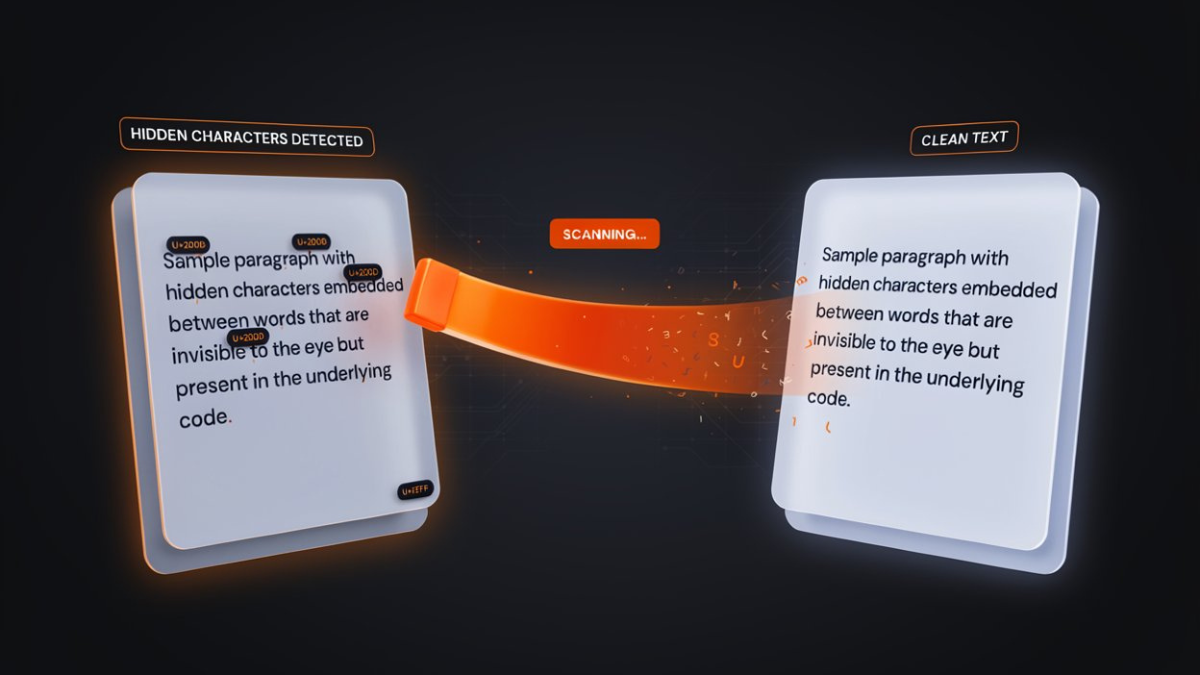
Remove invisible Unicode characters from Claude AI text with Claude Watermark Eraser. Clean zero-width spaces, hidden characters, and formatting artifacts free online.
Claude Watermark Eraser: How to Remove Invisible Characters from Claude AI Text
If you have copied text from Claude AI and noticed unusual spaces, strange formatting, hidden characters, or text that behaves differently in another app, the problem may be invisible Unicode characters.
These characters cannot usually be seen on the screen, but they can still exist inside your text. They may affect word counts, search, databases, content management systems, code editors, document formatting, and text comparison.
Claude Watermark Eraser is a free online tool that helps you find and remove invisible Unicode characters from text. You can paste your content into the tool, review the characters it detects, choose your cleaning options, and copy or download the cleaned text.
The tool works directly in your browser, does not require an account, and is designed to clean text without changing its meaning.
What Is a Claude Watermark?
The term Claude watermark is commonly used online to describe unusual or invisible characters that people may notice in text generated or processed by AI tools.
However, it is important to understand the difference between a traditional digital watermark and Unicode characters.
A traditional watermark is normally a deliberate signal embedded into digital content for identification or provenance. The characters handled by Claude Watermark Eraser are different. They can include invisible Unicode characters, formatting controls, unusual spaces, typographic characters, and other Unicode patterns.
Examples include:
Zero-width spaces
Zero-width joiners
Zero-width non-joiners
Unicode tag characters
Bidirectional control characters
Non-standard spaces
Variation selectors
Homoglyph characters
Non-printing control characters
Curly quotation marks
Em dashes
Ellipsis characters
Trailing whitespace
These characters can be completely invisible or difficult to notice during normal reading.
Claude Watermark Eraser identifies these characters by their Unicode codepoints and can remove the unwanted ones from your text.
Why Does Claude Text Sometimes Contain Invisible Characters?
Unicode is a global character standard used by computers to represent text from different languages, writing systems, symbols, and formatting systems.
Not every Unicode character is visible.
For example, some characters can control text direction, modify another character, separate text without creating visible space, or carry information without displaying a normal symbol.
When text is copied between AI assistants, browsers, word processors, websites, CMS platforms, databases, and other applications, these characters can travel with the text.
This can create problems such as:
Unexpected spacing
Incorrect word counts
Search problems
Text comparison errors
Broken CSV imports
Formatting inconsistencies
Copy-and-paste problems
Unexpected text direction
Database matching issues
Problems in code editors
Hidden information inside documents
This is why cleaning Unicode characters can be useful even when the text looks completely normal.
How to Use Claude Watermark Eraser
Using the tool is simple. You do not need to install software or create an account.
Follow these steps.
Step 1: Open Claude Watermark Eraser
Open the Claude Watermark Eraser tool in your web browser.
The tool works online and is designed to process your text directly in the browser.
You can use it from a desktop computer, laptop, tablet, or other modern device with a compatible browser.
Step 2: Copy Your Claude Text
Open your Claude conversation or document and copy the text you want to clean.
You can copy:
A paragraph
An article
AI-generated content
Notes
Emails
Documentation
Code comments
Product descriptions
Blog content
Research notes
Text copied from a website
Text copied from Word or Google Docs
You do not need to manually search for invisible characters.
Simply copy the text normally.
Step 3: Paste the Text Into the Tool
Paste your text into the input area of Claude Watermark Eraser.
The tool scans the text and checks for different types of Unicode characters.
You do not have to manually inspect every character.
The tool can identify characters that may be difficult or impossible to see during normal reading.
Step 4: Review the Detected Characters
After pasting your text, review the results.
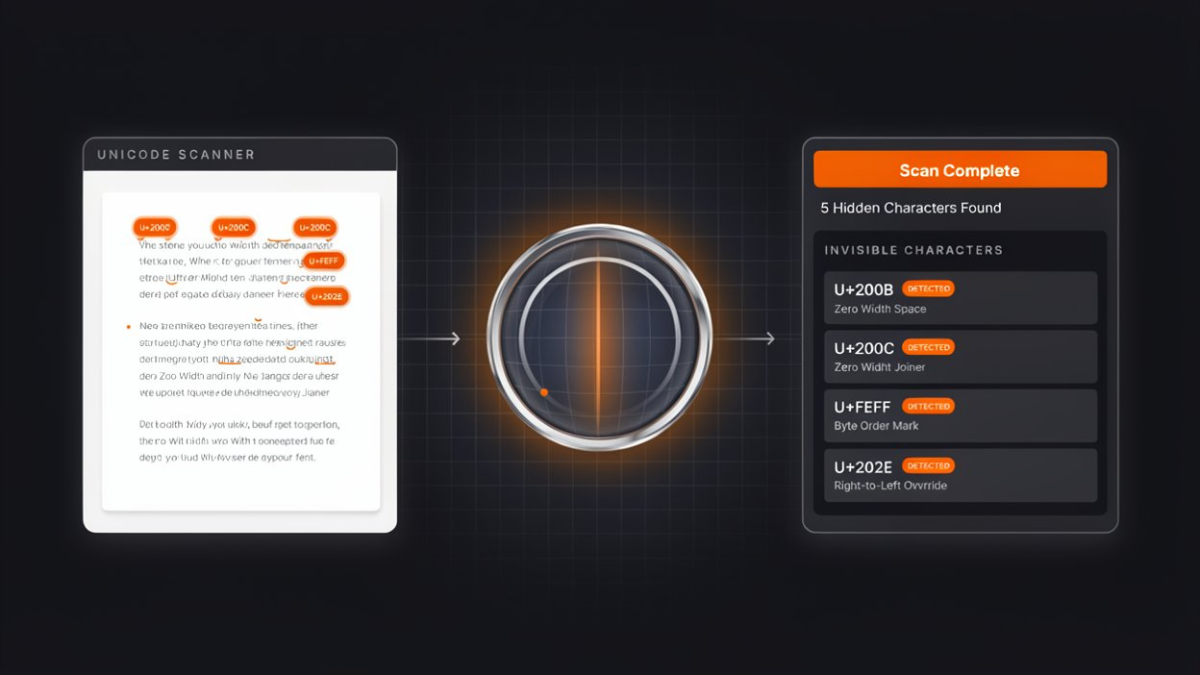
The tool can identify categories such as:
Zero-width characters
Unicode tag characters
Bidirectional controls
Non-standard spaces
Homoglyphs
Variation selectors
Control characters
Trailing whitespace
Extra blank lines
Styled or fullwidth letters
Curly quotes and dashes
The results can also show the relevant Unicode codepoints.
For example, common zero-width characters include:
U+200BU+200CU+200DU+FEFF
Non-standard spaces can include:
U+202FU+00A0U+2009U+3000
This makes it easier to understand exactly what is inside your text.
Step 5: Choose Your Cleaning Options
Claude Watermark Eraser gives you control over what you want to remove.
Invisible characters can normally be cleaned without changing the visible appearance of your writing.
You can also choose additional cleaning options when necessary.
For example, you may choose to:
Remove zero-width characters
Remove Unicode tag characters
Remove bidirectional controls
Normalize unusual spaces
Remove control characters
Fix homoglyph letters
Remove trailing whitespace
Collapse excessive blank lines
Normalize styled letters
Convert curly quotes to standard quotes
Convert em dashes to hyphens
Some options are disabled by default because changing visible formatting is not always desirable.
For example, removing emoji variation selectors can change how certain emoji appear, so this type of cleaning should only be used when you specifically need it.
Step 6: Clean the Text
Once you have selected the options you want, click Clean Text.
The tool removes the selected unwanted characters and produces a cleaned version of your text.
The goal is to preserve the actual words and meaning while removing unwanted Unicode characters and formatting artifacts.
Step 7: Copy or Download the Clean Text
After cleaning your content, you can use the Copy button to copy the result to your clipboard.
You can also use the Download option if you want to save the cleaned text as a plain text file.
You can then paste the cleaned content into:
WordPress
Shopify
Google Docs
Microsoft Word
Notion
A CMS
A code editor
An email
A database
A social media platform
A text editor
What Characters Does Claude Watermark Eraser Remove?
Claude Watermark Eraser supports multiple categories of problematic or unwanted Unicode characters.
1. Zero-Width Characters
Zero-width characters are Unicode characters that normally do not display visible symbols.
Examples include:
U+200B, U+200C, U+200D, and U+FEFF.
They can cause problems with searching, string matching, word counting, and text processing.
Claude Watermark Eraser can detect and remove these characters.
2. Unicode Tag Characters
Unicode includes a tag character range from U+E0000 to U+E007F.
These characters are not displayed like normal letters, but they can represent encoded information.
In some situations, hidden text can be carried inside an otherwise normal-looking paragraph.
Removing unwanted tag characters can help produce cleaner and more predictable text.
3. Bidirectional Control Characters
Bidirectional Unicode controls can influence the direction in which text is displayed.
Examples include:
U+202E
and characters in the:
U+2066–U+2069
range.
These controls can create situations where the displayed order of text differs from the underlying character order.
This is particularly important when dealing with mixed-language content, technical documents, code, or security-sensitive text.
4. Non-Standard Spaces
Not every space is a normal space.
Unicode contains several different types of whitespace characters.
Examples include:
Narrow no-break space
Non-breaking space
Thin space
Ideographic space
These can affect line wrapping, text matching, CSV parsing, and formatting.
The tool can normalize non-standard spaces into regular spaces.
5. Homoglyph Characters
A homoglyph is a character that looks similar or identical to another character but comes from a different writing system.
For example, some Cyrillic or Greek characters can visually resemble Latin letters.
This can create problems for:
Search
Text matching
Domain names
Security systems
Content filters
Databases
Claude Watermark Eraser can identify certain homoglyphs and restore them to their expected Latin characters.
6. Variation Selectors
Variation selectors modify how certain characters or symbols are displayed.
They are commonly associated with Unicode emoji and other character presentation systems.
Because removing them can sometimes affect visual presentation, the tool allows this type of cleaning to be controlled.
7. Control Characters
Control characters are non-printing characters that can affect how text is processed.
They may not be visible when reading a document, but they can cause unexpected behavior in software.
Cleaning unwanted control characters can make text more portable between applications.
8. Curly Quotes, Dashes, and Ellipses
AI-generated and professionally formatted text may contain typographic characters such as:
“ ”‘ ’—…
These characters are valid Unicode and are not inherently harmful.
However, some users prefer plain ASCII characters for compatibility with older systems, code, databases, or simple text-processing workflows.
Claude Watermark Eraser can optionally normalize these characters.
Does Claude Watermark Eraser Make Text Undetectable by AI Detectors?
No.
This is one of the most important things to understand about invisible character removal.
AI detectors generally do not determine whether text is AI-generated simply by searching for zero-width spaces or unusual Unicode characters.
Many AI detection systems analyze statistical characteristics of writing, including:
Word choice
Sentence structure
Predictability
Vocabulary distribution
Sentence length
Writing patterns
Removing invisible Unicode characters does not fundamentally rewrite the text.
Therefore, cleaning invisible characters should not be described as a guaranteed way to bypass AI detection.
Claude Watermark Eraser is primarily a Unicode cleaning and text hygiene tool.
It can remove hidden characters and unwanted formatting artifacts, but it does not guarantee that a piece of writing will receive a particular result from an AI detector.
Why Should You Remove Invisible Unicode Characters?
There are several legitimate reasons to clean hidden characters from text.
Better Text Compatibility
Different applications handle Unicode differently.
Cleaning unnecessary characters can make your text more consistent when moving between platforms.
Fix Copy-and-Paste Problems
If copied text behaves strangely after being pasted into another application, hidden Unicode characters may be part of the problem.
Cleaning the text can help eliminate unexpected characters.
Improve Search and Text Matching
Two pieces of text can look identical but contain different underlying Unicode characters.
For example, a normal space and a non-breaking space may appear identical to a human reader while being treated differently by software.
Normalizing the characters can improve matching.
Prevent Formatting Issues
Unusual spaces, direction controls, and invisible characters can cause unexpected formatting.
Cleaning them creates a more predictable plain-text version.
Clean Data Before Importing
If you are importing text into a spreadsheet, database, CRM, CMS, or CSV file, hidden characters can sometimes create unexpected results.
Cleaning the data first can make processing more reliable.
Detect Hidden Information
Invisible Unicode characters can sometimes be used to encode or carry hidden information.
Checking your text before publishing or sharing it can help you understand exactly what characters are present.
Can I Use Claude Watermark Eraser for ChatGPT, Gemini, and Other AI Text?
Yes.
Unicode characters are not exclusive to Claude.
The same types of characters can appear in text copied from different AI assistants, word processors, websites, PDFs, and other digital sources.
Therefore, the tool can also be useful for cleaning text copied from:
ChatGPT
Google Gemini
Microsoft Copilot
Other AI writing tools
Word documents
Google Docs
Websites
PDFs
Content management systems
Online editors
The important point is that the tool is cleaning Unicode characters, not identifying a particular AI model.
Is Claude Watermark Eraser Free?
Yes.
Claude Watermark Eraser is available as a free online tool.
You do not need to:
Create an account
Install software
Purchase a subscription
Download a browser extension
You can paste your text into the tool and clean it directly in your browser.
Is My Text Uploaded to a Server?
According to the tool's current implementation, when JavaScript is enabled, text processing happens directly inside your browser. The site states that your text is not transmitted or stored as part of the cleaning process.
This browser-based approach is useful for people who are working with private documents, drafts, notes, code, or other text they do not want to upload to a third-party processing service.
If you are working with sensitive information, you should still follow your organization's privacy and data-handling policies.
Claude Watermark Eraser vs. Claude Watermark Checker
The two tools have different purposes.
Claude Watermark Eraser
Use the eraser when you already know that you want to clean the text.
It removes unwanted Unicode characters and formatting artifacts according to your selected settings.
Claude Watermark Checker
Use the checker when you want to inspect the text before making changes.
It can help you identify unusual or hidden Unicode characters and understand what exists inside the document.
A simple workflow is:
Check → Review → Clean → Copy
This is particularly useful when you want to inspect your content before changing anything.
What Is the Difference Between a Watermark and Invisible Unicode?
This distinction is important.
A watermark normally refers to an intentional identifier or signal embedded into content.
Invisible Unicode characters, on the other hand, are actual characters in a text string. Some are used for legitimate formatting or language support, while others can be used to carry hidden information or create unexpected behavior.
For example:
A zero-width space is a Unicode character.
A bidirectional control character is a Unicode formatting control.
A non-breaking space is a Unicode whitespace character.
A curly quotation mark is a Unicode typographic character.
Calling all of these a traditional watermark can be misleading.
For this reason, Claude Watermark Eraser is best understood as an invisible character remover and Unicode text cleaner.
When Should You Use an Invisible Character Remover?
You may want to clean text when:
Your word count looks incorrect.
Search cannot find text that appears identical.
Copy and paste produces unexpected results.
A CMS behaves strangely after pasting content.
A database cannot match two apparently identical strings.
Text contains unusual spacing.
You suspect hidden Unicode characters.
Text displays differently across applications.
You are cleaning data before importing it.
You want to inspect a document for hidden characters.
Is Removing Invisible Characters Safe?
In most ordinary text-cleaning situations, removing unwanted invisible formatting characters is straightforward.
However, not every invisible character is unnecessary.
Some Unicode characters have legitimate purposes.
For example, certain characters can be required for:
Language rendering
Emoji presentation
Complex scripts
Text direction
Specialized typography
That is why it is better to review the cleaning options instead of blindly removing every possible Unicode character from every document.
Claude Watermark Eraser gives you individual controls so you can decide which categories should be cleaned.
Best Practices for Cleaning Claude AI Text
For the safest workflow, follow these recommendations.
Keep the original text
Before cleaning important documents, keep a copy of the original.
Start with invisible characters
If your goal is simply to remove hidden characters, avoid changing visible typography unless necessary.
Review the results
Check the cleaned text before publishing or importing it into another system.
Be careful with emoji
Variation selectors can affect how some emoji are displayed.
Be careful with multilingual text
Bidirectional controls and certain Unicode characters can be important for languages that use right-to-left writing systems.
Do not rely on character cleaning as AI detection bypass
Removing invisible characters does not automatically make AI-generated writing human-written or undetectable.
Use content responsibly
Only modify content that you own or have permission to edit, and follow the rules of the platform, school, employer, publisher, or organization where you intend to use it.
Final Thoughts
Invisible Unicode characters are easy to overlook because they often cannot be seen during normal reading.
A paragraph may look completely normal while containing zero-width characters, unusual spaces, formatting controls, homoglyphs, or other Unicode data.
If you are experiencing copy-and-paste problems, unexpected spacing, incorrect text matching, strange formatting, or hidden characters, a Unicode cleaning tool can help.
Claude Watermark Eraser provides a simple workflow:
Paste your text → Scan the characters → Choose cleaning options → Clean the text → Copy or download the result.
The tool is free, browser-based, and designed to make text cleaner and more portable across different applications.
Use it as a Unicode text cleaner and invisible character remover, rather than as a guaranteed AI-detector bypass.
If you want to inspect your text before changing it, use the Claude Watermark Checker first. If you already know you want to clean the text, paste it directly into the Claude Watermark Eraser and review the available cleaning options.
Frequently asked questions
What is Claude Watermark Eraser?
Claude Watermark Eraser is a free online Unicode cleaning tool that detects and removes invisible and unwanted characters from text.
Is Claude Watermark Eraser free?
Yes. The tool is free to use and does not require an account or subscription.
Does Claude Watermark Eraser require installation?
No. It works directly in a web browser.
Does it remove zero-width spaces?
Yes. The tool can detect and remove zero-width characters such as U+200B, U+200C, U+200D, and U+FEFF.
Can it remove Unicode tag characters?
Yes. It supports Unicode tag characters in the U+E0000–U+E007F range.
Can it remove hidden text?
It can remove supported invisible Unicode characters, including Unicode tag characters and zero-width characters that may be used to carry hidden information.
Can invisible Unicode characters affect SEO?
They can potentially affect text processing, matching, indexing workflows, and how content is handled by different systems. Cleaning unexpected characters can help create cleaner and more consistent text. However, removing Unicode characters should not be treated as a direct Google ranking technique.
Does removing invisible characters improve Google rankings?
Not directly. There is no reason to expect that simply removing a zero-width character will automatically improve rankings. The main benefit is cleaner, more consistent text that is easier for software and systems to process. SEO performance still depends on factors such as search intent, content quality, relevance, technical SEO, internal linking, authority, user experience, and many other signals.
Can I use the tool for ChatGPT text?
Yes. The tool works with Unicode characters regardless of which application originally produced the text.
Can I use it for Gemini text?
Yes. Gemini and other AI-generated text can also contain Unicode characters and formatting artifacts.
Does the tool rewrite my content?
No. Its primary purpose is to clean selected Unicode characters and formatting artifacts rather than rewrite the meaning of your content.
Will my text become human-written after using the tool?
No. Removing invisible characters does not change the authorship or origin of the underlying writing.
Does the tool bypass AI detectors?
No. Invisible character removal and AI detection are different processes. AI detectors generally analyze statistical writing patterns rather than simply searching for zero-width characters.
Can I clean a long article?
Yes. The tool is designed for normal documents and does not impose a typical short text limit according to the current site information.
Can I download the cleaned text?
Yes. After cleaning, you can copy the result or download it as a plain text file.